
A pure validation framework for the WordPress block editor. Register validation checks for blocks, post meta fields, and editor-level content structure — with real-time feedback, visual indicators, and publish-locking. Zero built-in checks. Zero settings UI. Zero opinions. Just infrastructure.
Designed for Gutenberg core merge. External plugins provide the rules.
- Three-Scope Validation: Register checks for block attributes, post meta fields, and editor-level concerns (heading hierarchy, content structure, etc.)
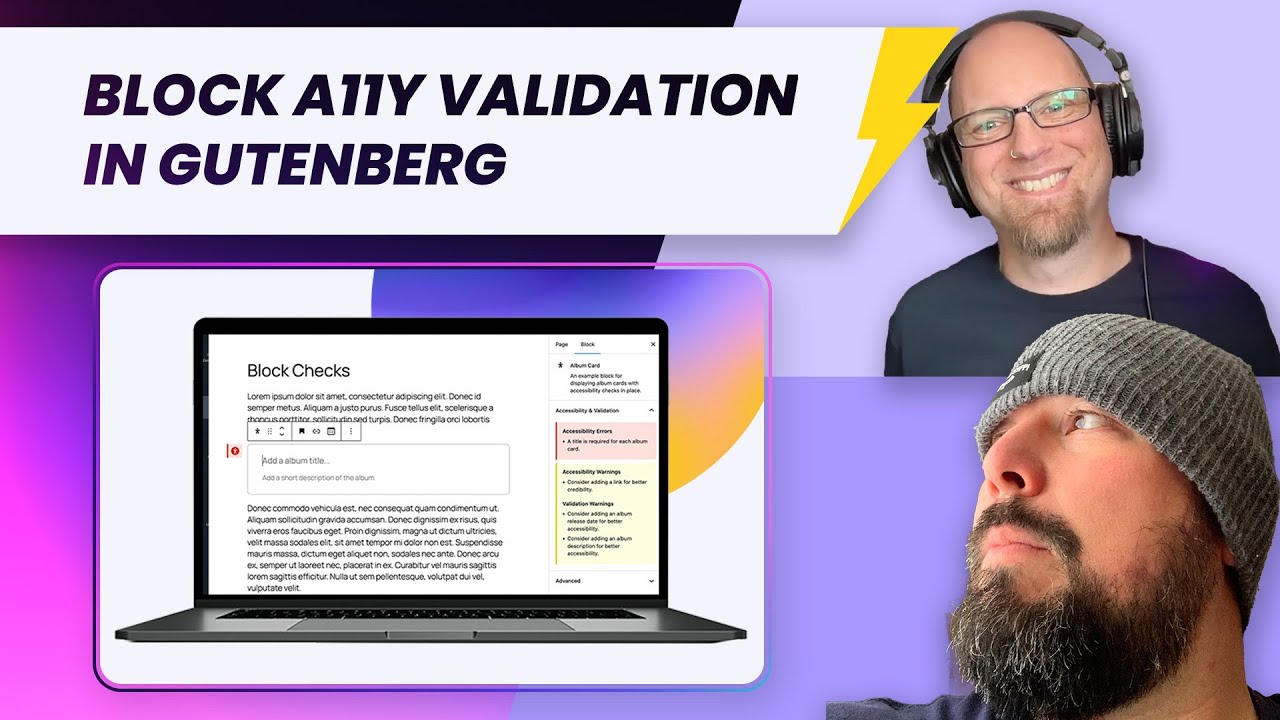
- Real-Time Editor Feedback: Validation runs as users edit — instant visual indicators with red (error) and yellow (warning) borders on blocks
- Publish Locking: Error-level checks prevent publishing. Warnings show feedback but allow saving
- Validation Sidebar: All issues displayed in a unified sidebar panel, grouped by severity, with click-to-navigate to the offending block
- Flat Registration API: Register checks with
wp_register_block_validation_check()and related functions — anamespacefield attributes each check to the registering plugin - Filterable Severity: Every check passes through the
wp_validation_check_levelfilter — any plugin can override severity at runtime - Centralized Data Store: A dedicated
core/validationstore via@wordpress/datamanages all validation state with reactive selectors - REST API: Registered checks are exposed via
GET /wp/v2/validation-checksfor admin tooling and companion packages - Editor Settings Integration: Validation config flows from PHP to JS via the
block_editor_settings_allfilter, following Gutenberg's standard data passing pattern - Extensible: 20+ PHP actions/filters and 3 JS filters for complete customization
The Validation API provides three registries and a coordinator:
- Block Registry — Validates block attributes (e.g., image alt text, button links)
- Meta Registry — Validates post meta fields (e.g., required SEO description)
- Editor Registry — Validates document-level concerns (e.g., heading hierarchy)
Each registered check has a severity level (error, warning, or none) that determines its behavior. The coordinator locks/unlocks publishing based on whether any errors exist.
The plugin ships no built-in checks — it's a framework. Install a companion plugin or write your own checks.
Recorded against the previous version of this plugin — the UI and plugin name differ, but the core validation behaviour demonstrated is the same.
| Level | Behavior |
|---|---|
error |
Prevents saving. Shows red indicator. Filter can override. |
warning |
Shows yellow indicator. Allows saving. Filter can override. |
none |
Check is disabled. Skipped entirely. |
| (omitted) | Defaults to error. Filter can override. |
Every active check passes through the wp_validation_check_level filter, making all checks configurable without the core plugin needing any storage:
apply_filters(
    'wp_validation_check_level',
    $registered_level,
    $context // [ 'scope' => 'block', 'block_type' => 'core/image', 'check_name' => 'alt_text' ]
);add_action( 'init', function() {
if ( ! function_exists( 'wp_register_block_validation_check' ) ) {
return;
}
wp_register_block_validation_check( 'core/image', [
'namespace' => 'my-content-rules',
'name' => 'alt_text',
'level' => 'error',
'description' => 'Images must have alt text',
'error_msg' => 'This image is missing alt text.',
'warning_msg' => 'Consider adding alt text to this image.',
] );
} );import { addFilter } from '@wordpress/hooks';
addFilter(
'editor.validateBlock',
'my-plugin/image-alt',
( isValid, blockType, attributes, checkName ) => {
if ( blockType === 'core/image' && checkName === 'alt_text' ) {
return !! attributes.alt && attributes.alt.trim().length > 0;
}
return isValid;
}
);The validation-api-settings companion plugin provides an admin settings page built using a sortable table. It reads all registered checks and lets admins override severity levels globally — no code required.
The core plugin has no settings UI and no storage. The companion bridges admin settings to the wp_validation_check_level filter via wp_options.
- WordPress 6.7 or higher
- PHP 7.0 or higher
- Gutenberg block editor (classic editor not supported)
- Getting Started — Register your first check in 30 lines
- Block Checks — Validate block attributes
- Meta Checks — Validate post meta fields
- Editor Checks — Validate document-level concerns
- Severity Model — Error vs. warning vs. none, and runtime overrides
- Examples — Complete integration examples
- Architecture — System design and internals
- Data Flow — PHP → JS pipeline
- Hooks Reference — All PHP and JS hooks
- API Reference — Public functions and contracts
- Design Decisions — Why the API is shaped this way
- Fork this repo
- Create a branch off of
main - Clone your fork locally
- Run the following in the repo root:
pnpm install
- Ensure your code follows WordPress coding standards
- Run
pnpm buildto build production assets - Test in the post editor
- Create a PR from your branch into the primary repo
- Provide detailed info in the PR template
For bug reports, feature requests, or questions:
- Check the Documentation
- Search existing GitHub issues before creating new ones
- Provide detailed reproduction steps for bugs
- Include WordPress version, PHP version, and block details
This project is licensed under the GPL v2 or later — see the LICENSE file for details.